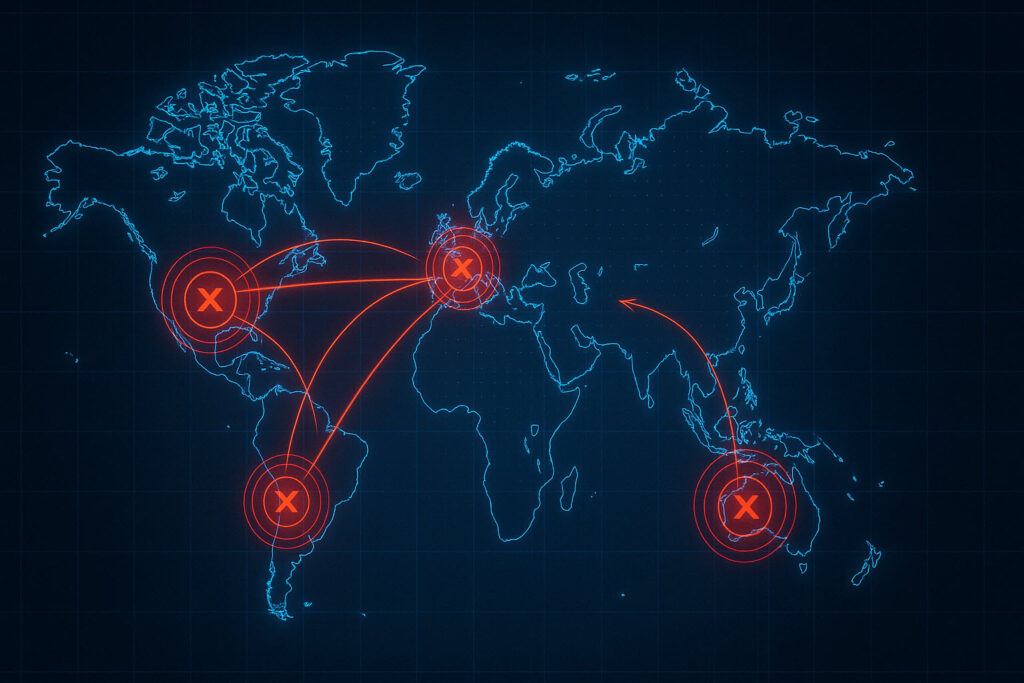
⚠️ Urgent Action Required: A zero-click Windows vulnerability (CVE-2026-32202) is being actively exploited in the wild. The CISA federal patch deadline is May 12, 2026. If your Windows systems are not patched with the April 2026 cumulative update, act today.
Introduction
A critical Windows vulnerability is giving attackers a way to silently steal your employees’ network credentials — without them clicking anything. CVE-2026-32202, a Windows Shell spoofing flaw, allows a malicious file to trigger an automatic authentication request the moment a user simply opens a folder in Windows Explorer. No clicks, no warnings, no indication anything happened.
Disclosed by Microsoft on April 14, 2026, as part of its April Patch Tuesday release, this vulnerability has been actively exploited since at least December 2025 by the Russian nation-state group APT28 (Fancy Bear). On April 28, 2026, CISA added it to its Known Exploited Vulnerabilities (KEV) catalog and ordered all federal agencies to patch by May 12, 2026 — a deadline that applies to every organization serious about security.
For small and medium businesses running Windows — which is to say, nearly every SMB in America — this is not a theoretical risk. It is an active threat that can silently compromise a user’s network credentials, giving attackers everything they need to move across your network, steal data, and deploy ransomware.
What Happened
CVE-2026-32202 is a zero-click Windows Shell spoofing vulnerability. Here’s how the attack works in plain terms:
- An attacker sends a malicious LNK (Windows shortcut) file to a target — typically via a phishing email, shared folder, or malicious download.
- When the user opens the folder containing that file in Windows Explorer, Windows automatically tries to render a preview of the shortcut’s icon.
- This icon rendering silently triggers an outbound SMB (Server Message Block) connection to an attacker-controlled server.
- As part of that SMB handshake, Windows automatically sends the user’s Net-NTLMv2 password hash — the cryptographic representation of their Windows/network credentials.
- The attacker captures this hash and can immediately use it in a pass-the-hash attack to authenticate as that user across the network, or crack it offline to recover the plaintext password.
The vulnerability is rooted in an incomplete patch. Microsoft’s February 2026 update was supposed to fix a related flaw (CVE-2026-21510), but the remediation was insufficient. Akamai security researchers confirmed that APT28 had already discovered and exploited this bypass, with attacks dating back to December 2025 — a full four months before the public disclosure.
Related CVEs:
- CVE-2026-32202 — Primary zero-click Windows Shell spoofing vulnerability (CVSS 4.3 official; analysts warn this score significantly underrepresents real-world risk)
- CVE-2026-21510 — Related predecessor flaw patched in February 2026
- CVE-2026-21513 — Additional related Shell spoofing variant
A note on the CVSS score: The official severity rating of 4.3 (Medium) is widely considered misleading. The vulnerability is zero-click, requires no user interaction beyond browsing to a folder, and directly results in credential theft usable for full domain compromise. Multiple security researchers have noted the score does not reflect the actual threat level for enterprise and SMB environments.
Who Is Affected
This vulnerability affects every currently supported version of Windows:
- Windows 10 (all supported versions)
- Windows 11 (versions 24H2, 25H2, and all earlier supported builds)
- Windows Server (all supported versions)
- Any Windows system where users may browse folders containing downloaded files
In practice, this means every business running Windows endpoints or servers is at risk. There is no industry or sector exemption. Professional services firms, healthcare practices, legal offices, retail businesses, and nonprofits — if you run Windows, you are a target.
Risk is elevated for organizations that:
- Have not applied the April 2026 Windows cumulative update
- Allow outbound SMB traffic (TCP port 445) to the internet
- Use shared network drives where employees access downloaded files
- Do not have multi-factor authentication on network accounts, VPN, or Microsoft 365
- Have delayed patch deployment by more than 30 days
SMB Impact: Why This Matters for Your Business
For small and medium businesses, the consequences of a successful NTLM credential theft attack can be severe and cascade quickly:
- Silent compromise: Employees will have no idea their credentials were stolen. There are no pop-ups, no error messages, and no visible activity — the attack happens invisibly in the background while they browse their downloads folder.
- Network-wide lateral movement: A single stolen hash can give an attacker access to every system that user can authenticate to — file servers, RDP, network shares, and business applications.
- Ransomware deployment: NTLM credential theft is a well-known ransomware precursor. Once attackers have valid credentials and network access, deploying ransomware across the entire domain is a matter of hours, not days.
- Data exfiltration: Before deploying ransomware, sophisticated attackers exfiltrate sensitive business data for double-extortion — demanding payment both to decrypt files and to prevent public disclosure of stolen records.
- Microsoft 365 exposure: If stolen domain credentials are shared with Microsoft 365 accounts (as is common in hybrid environments without proper MFA), attackers can access email, SharePoint, OneDrive, and Teams data.
- Low barrier to entry: While APT28 is a sophisticated nation-state actor, the technique for NTLM coercion is well-documented and the tools are publicly available — meaning less sophisticated cybercriminals will quickly adopt this attack vector.
Remediation Checklist
Take the following steps immediately, prioritized in order of urgency:
-
Apply the April 2026 Windows Cumulative Update — Now
Do not wait for your next scheduled maintenance window. Deploy KB5083769 (Windows 11 24H2/25H2) and the equivalent April 2026 updates for Windows 10 and Windows Server via Windows Update, WSUS, or your endpoint management platform. Start with internet-facing systems and servers, then roll to all workstations. -
Verify Patch Status Across All Endpoints
Use your RMM tool or runwinveron individual machines and check Windows Update history. Do not assume updates were applied — confirm it. Any unpatched system is a liability. -
Block Outbound SMB at the Firewall
Configure your perimeter firewall to block outbound TCP port 445 to external, untrusted IP addresses. This prevents NTLM hash coercion attacks from reaching attacker-controlled servers even on systems that have not yet been patched. -
Restrict NTLM Authentication via Group Policy
Disable NTLMv1 and enforce NTLMv2-only via Group Policy: Network Security: LAN Manager Authentication Level → “Send NTLMv2 response only; refuse LM & NTLM.” Also enable Extended Protection for Authentication (EPA) where supported. -
Audit and Reduce Administrative Privileges
Review all accounts with domain admin or local admin rights. Stolen NTLM hashes from a privileged account dramatically accelerate attacker lateral movement. Remove unnecessary admin rights and enforce Tiered Administration practices. -
Enforce MFA on All Remote Access and Cloud Accounts
Multi-factor authentication on VPN, RDP, and Microsoft 365 is your most effective defense against credential replay attacks. If stolen credentials cannot be used without a second factor, the value of the stolen hash is sharply reduced. -
Enable Email Filtering for LNK and ZIP Attachments
The related CVE-2026-21510 attack chain was delivered via phishing emails containing malicious LNK files in ZIP archives. Configure your email security gateway to block or quarantine LNK files from external senders. -
Verify EDR Coverage on All Endpoints
Ensure your endpoint detection and response (EDR) solution is deployed, updated, and actively monitoring on every workstation and server. Modern EDR can detect NTLM coercion behavior and lateral movement indicators associated with this exploit chain. -
Monitor Authentication Logs for Anomalies
Enable logging for SMB authentication events (Windows Event IDs 4624, 4625, 4648). Alert on unusual authentication attempts from workstations to unexpected servers, particularly after business hours. -
Treat Unpatched Systems as Potentially Compromised
If your organization has not applied patches since before April 14, 2026, treat the environment as potentially compromised. Review authentication logs for anomalous NTLM activity, check for new or unauthorized admin accounts, and consider engaging a threat hunting service.
Strategic Recommendations
Beyond the immediate patch, this vulnerability highlights systemic security gaps that leave SMBs vulnerable to the next exploit — whatever it may be. Consider these longer-term security posture improvements:
- Implement a formal patch management program. The April 2026 patch was available on April 14. Every day of delay expands your exposure window. A structured patch management process with defined SLAs — 7 days for critical patches, 30 days for high — dramatically reduces risk.
- Migrate away from NTLM where possible. NTLM is a legacy authentication protocol that continues to be a major attack surface. Evaluate migrating to Kerberos-based authentication and disabling NTLM entirely where supported.
- Adopt Zero Trust network principles. Assume breach. Require verification for every access request, limit lateral movement with network segmentation, and enforce least-privilege access across all systems and applications.
- Conduct regular security awareness training. While this specific vulnerability requires no user action, the initial delivery mechanism (phishing with malicious LNK attachments) relies on employees opening emails. Trained employees are your first line of defense.
- Establish an incident response plan. Know in advance what steps you will take if credentials are compromised. Who do you call? What systems do you isolate? How do you communicate with employees and clients? Having a plan dramatically reduces damage from a successful attack.
How Lone Wolf Networks Can Help
If you’re reading this and wondering whether your Windows systems are patched, your firewall is properly configured, or your credentials are already at risk — those are exactly the questions a qualified managed IT provider should be answering for you every week, not just when a critical advisory lands.
At Lone Wolf Networks, we help small and medium businesses in the Temecula Valley and Southern California maintain a proactive security posture so threats like CVE-2026-32202 are addressed before they become incidents. Our managed IT and cybersecurity services include:
- Automated patch management — We monitor and deploy critical Windows and third-party updates on a defined schedule, with emergency patch deployment for CISA KEV-listed vulnerabilities.
- Endpoint Detection and Response (EDR) — Our EDR solution provides real-time visibility into endpoint behavior, detecting NTLM coercion, lateral movement, and credential theft indicators before they escalate.
- Network security hardening — We configure firewalls, DNS filtering, and intrusion prevention systems to block outbound SMB traffic and other known attack vectors at the perimeter.
- Microsoft 365 security management — We enforce MFA, review conditional access policies, and harden your M365 environment to reduce the impact of stolen credentials.
- 24/7 threat monitoring — Our security operations team monitors authentication events and alerts around the clock, identifying anomalies that signal active credential theft or lateral movement.
- Security awareness training — We help your team recognize phishing attempts and the social engineering tactics used to deliver initial-access payloads like malicious LNK files.
If you’d like a conversation about your current patch posture or overall security readiness, reach out to our team. We’re based in Temecula and work with businesses throughout the Inland Empire and Southern California.
References
- CISA Orders Feds to Patch Windows Flaw Exploited in Zero-Day Attacks — BleepingComputer (April 30, 2026)
- CISA, Microsoft Warn of Active Exploitation of Windows Shell CVE-2026-32202 — Help Net Security (April 29, 2026)
- Microsoft Confirms Active Exploitation of Windows Shell CVE-2026-32202 — The Hacker News (April 27, 2026)
- CVE-2026-32202 Detail — NIST National Vulnerability Database (April 14, 2026)
- CISA Known Exploited Vulnerabilities Catalog — CVE-2026-32202 Added April 28, 2026
- Incomplete Patch: APT28’s Zero-Day CVE-2026-32202 — Akamai Security Research (April 28, 2026)
- Windows Zero-Day CVE-2026-32202 Confirmed as Exploited — NotebookCheck (April 29, 2026)